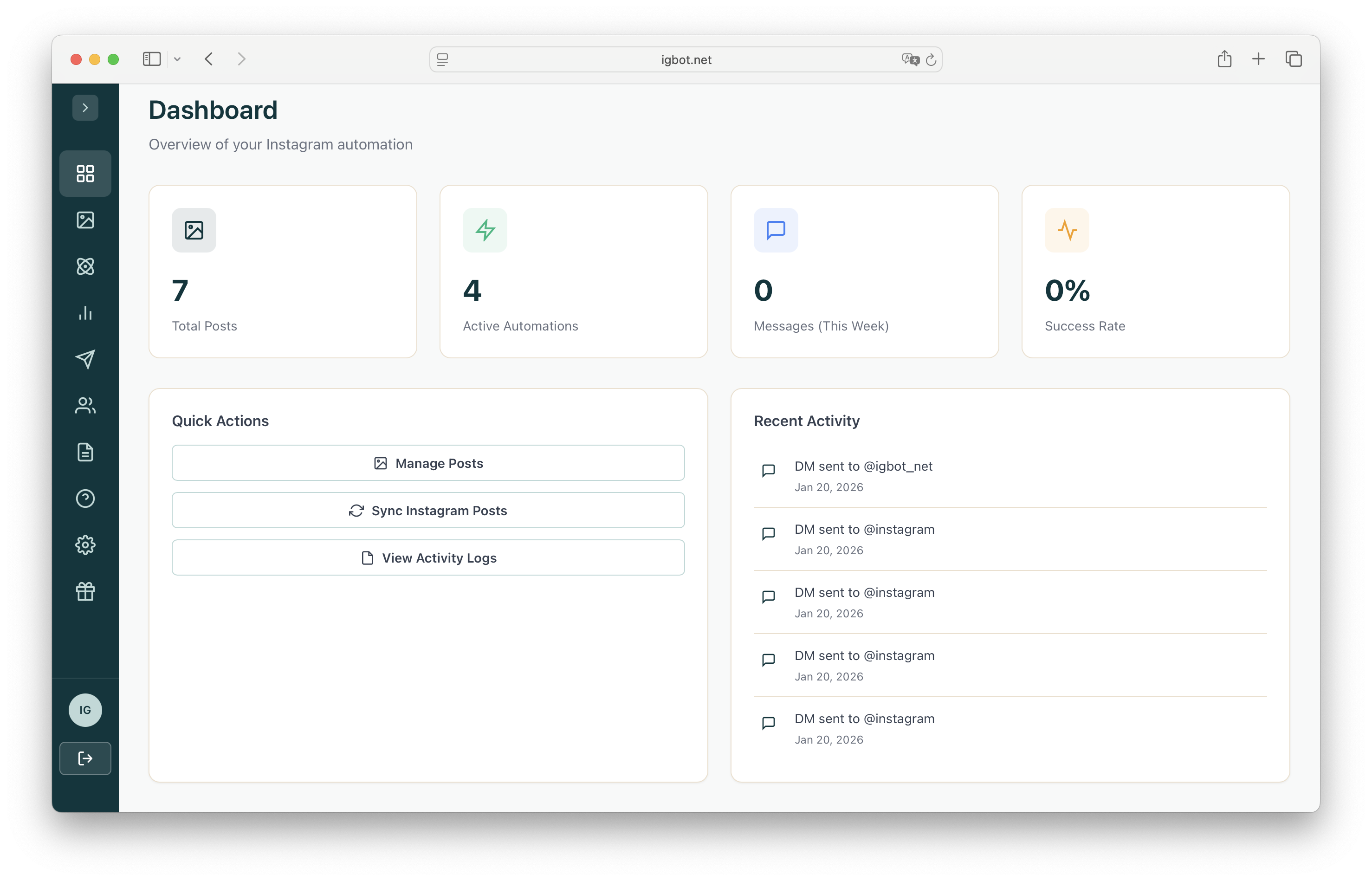
Instagram DM automation is changing how creators and businesses engage with their audience. Instead of manually responding to every comment asking for links or information, you can set up automated direct messages that instantly deliver value to your followers.
In this comprehensive guide, we'll walk you through everything you need to know to get started with Instagram DM automation using IGBot. By the end, you'll have your first automation up and running.
What is Instagram DM Automation?
Instagram DM automation allows you to automatically send direct messages to users based on specific triggers. With IGBot, you have two powerful options:
- Keyword-triggered automations: Send DMs when someone comments with a specific keyword you've defined (e.g., "LINK", "INFO")
- All-comment automations: Send DMs to everyone who comments on your post or reel, regardless of what they say
For example, if you post about a new product and ask people to comment "INFO" for details, IGBot will automatically send a DM with product information. Or, you can set up an automation that sends a thank-you message to everyone who comments on your latest reel.
Why it matters: Manual responses are time-consuming and often delayed. Automation ensures your followers get instant responses, 24/7, even while you sleep.
Why DM Automation Matters for Creators
Research shows that most brands expect creators to include links, discount codes, or specific calls-to-action that direct their audience to products or websites during collaborations. But here's the challenge: Instagram doesn't allow clickable links in post captions.
This is where DM automation becomes a game-changer. Instead of directing followers to "link in bio" and hoping they navigate there, you can instantly deliver links directly to their inbox the moment they engage with your content.
See It In Action
Here are real examples from successful creators using comment-to-DM automation to engage their audience and deliver value instantly:
Prerequisites: Setting Up Your Instagram Account
Before you can use IGBot, you need to ensure your Instagram account is properly configured:
Switch to a Business or Creator Account
Instagram's messaging API only works with Business or Creator accounts. Go to Settings > Account > Switch to Professional Account to make the change.
Enable Message Access
Make sure your account allows messages from everyone. Check Settings > Privacy > Messages and enable "Allow Access to Messages."
Create Your IGBot Account
Sign up for a free IGBot account at igbot.net. No credit card required to get started.
Connecting Your Instagram Account
Once you've created your IGBot account, connecting your Instagram is straightforward:
- Log in to your IGBot dashboard
- Navigate to Settings
- Click Connect Instagram
- You'll be redirected to Instagram to authorize the connection
- Review the permissions and click Allow
- You'll be redirected back to IGBot with your account connected
IGBot uses the official Instagram Graph API, so your account stays safe. We never ask for your Instagram password.
Creating Your First Automation
Now for the exciting part - creating your first DM automation! Here's how to set it up:
Step 1: Select Your Post
Go to the Posts page in your dashboard. You'll see all your recent Instagram posts. Click on the post you want to create an automation for.
Step 2: Set Up Keywords
Keywords are the words or phrases that trigger your automation. When someone comments with one of these keywords, they'll receive your automated DM.
Good keyword examples:
- LINK - Perfect for sharing resources or product links
- INFO - Great for detailed information requests
- INTERESTED - Ideal for lead generation
- SEND - Works well for delivering digital content
- YES - Simple and effective for confirmations
Keep keywords simple and easy to type. Avoid requiring specific capitalization or special characters - IGBot matches keywords case-insensitively.
AI Smart Match (Optional)
IGBot includes a powerful AI Smart Match feature that goes beyond exact keyword matching. When enabled, the AI understands the intent behind comments, not just the exact words.
For example, if you set "LINK" as your keyword with AI Smart Match enabled:
- "where can I buy this?" - Triggers (AI understands they want a link)
- "I need the link please" - Triggers
- "how do I get this?" - Triggers
- "send me info" - Triggers
- "this looks amazing!" - Does not trigger (just a compliment)
AI Smart Match is perfect for capturing interested followers who don't follow your exact instructions. You'll never miss a potential lead just because they said "where to buy" instead of "LINK".
Step 3: Craft Your DM Message
Your DM message is what gets sent to users who comment with your keyword. Here are some best practices:
- Be personal: Start with a friendly greeting
- Deliver value immediately: Include the link or information they requested
- Keep it concise: Respect their time with a focused message
- Include a call-to-action: Tell them what to do next
Example DM message:
Hey! Thanks for your interest! 🎉
Here's the link you requested: [YOUR LINK]
Let me know if you have any questions - I'm happy to help!
Step 4: Optional - Add a Comment Reply
You can also set up an automatic public reply to the comment. This acknowledges the commenter publicly and can boost engagement on your post.
Example comment reply: "Just sent you a DM with all the details! Check your inbox 📬"
Enable AI-powered reply variations to make your public comment replies look more natural. This prevents your responses from appearing robotic or spammy.
Step 5: Save Your Automation
Once you've configured everything, simply click Save. Your automation is immediately active and will start responding to matching comments automatically!
Need to pause an automation temporarily? No problem - you can pause any automation from your dashboard and resume it whenever you're ready. This is useful when you want to take a break or update your messaging.
Advanced Features: Scheduling
IGBot offers powerful scheduling features that give you even more control over your automations:
Schedule for Your Next Post
Planning to publish a new post or reel? You can create an automation in advance and have it automatically apply to your next published content. This way, your automation is ready to go the moment you hit publish.
Schedule Activation Date
Want an automation to start at a specific time in the future? You can schedule any automation to become active on a specific date and time. This is perfect for:
- Product launches: Set up your automation to go live exactly when your product drops
- Time-sensitive promotions: Schedule discount code automations to match your sale dates
- Event coordination: Align your DM automation with webinar or event start times
Combine scheduling with the "next post" feature to prepare your entire campaign in advance. Set up your automation, schedule when it should go live, and then publish your content when you're ready.
Best Practices for Instagram DM Automation
To get the most out of your automations, follow these best practices:
1. Be Clear in Your Posts
Tell your audience exactly what to comment to receive the DM. For example: "Comment 'LINK' below and I'll send you the free guide!"
2. Provide Real Value
Your automated DM should deliver something valuable - a useful link, exclusive content, or helpful information. Don't use automation for spam.
3. Monitor Your Analytics
Check your IGBot dashboard regularly to see how many DMs are being sent and track engagement. Use these insights to optimize your approach.
4. Respond to Follow-Up Messages
While the initial DM is automated, be ready to personally respond if someone replies with questions. This builds genuine relationships.
5. Test Your Automations
Before promoting a post with an automation, test it yourself. Comment with your keyword from another account to make sure everything works correctly.
Common Use Cases
Here are some popular ways creators and businesses use Instagram DM automation:
- Lead Magnets: Deliver free ebooks, guides, or templates
- Affiliate Links: Share product recommendations
- Course Enrollment: Send registration links
- Discount Codes: Distribute exclusive promo codes
- Event Registration: Share signup links for webinars or events
- Product Links: Direct followers to specific products
Next Steps
Now that you understand the basics of Instagram DM automation, here's what to do next:
- Create your free IGBot account
- Connect your Instagram Business or Creator account
- Create your first automation on an existing post
- Post new content with a clear call-to-action
- Watch as IGBot handles the responses automatically!
Ready to transform your Instagram engagement? Get started with IGBot today and turn your comments into conversations.
Ready to Automate Your Instagram?
Create your free account and set up your first DM automation in minutes.
Get Started Free